
Overview
The 'Back to top' pattern helps users quickly navigate back to the start of a long page.
Use JavaScript to implement the link to ensure that using the link does not interfere with the expected back button behaviour or add an entry to the user’s browser history.
Back to top
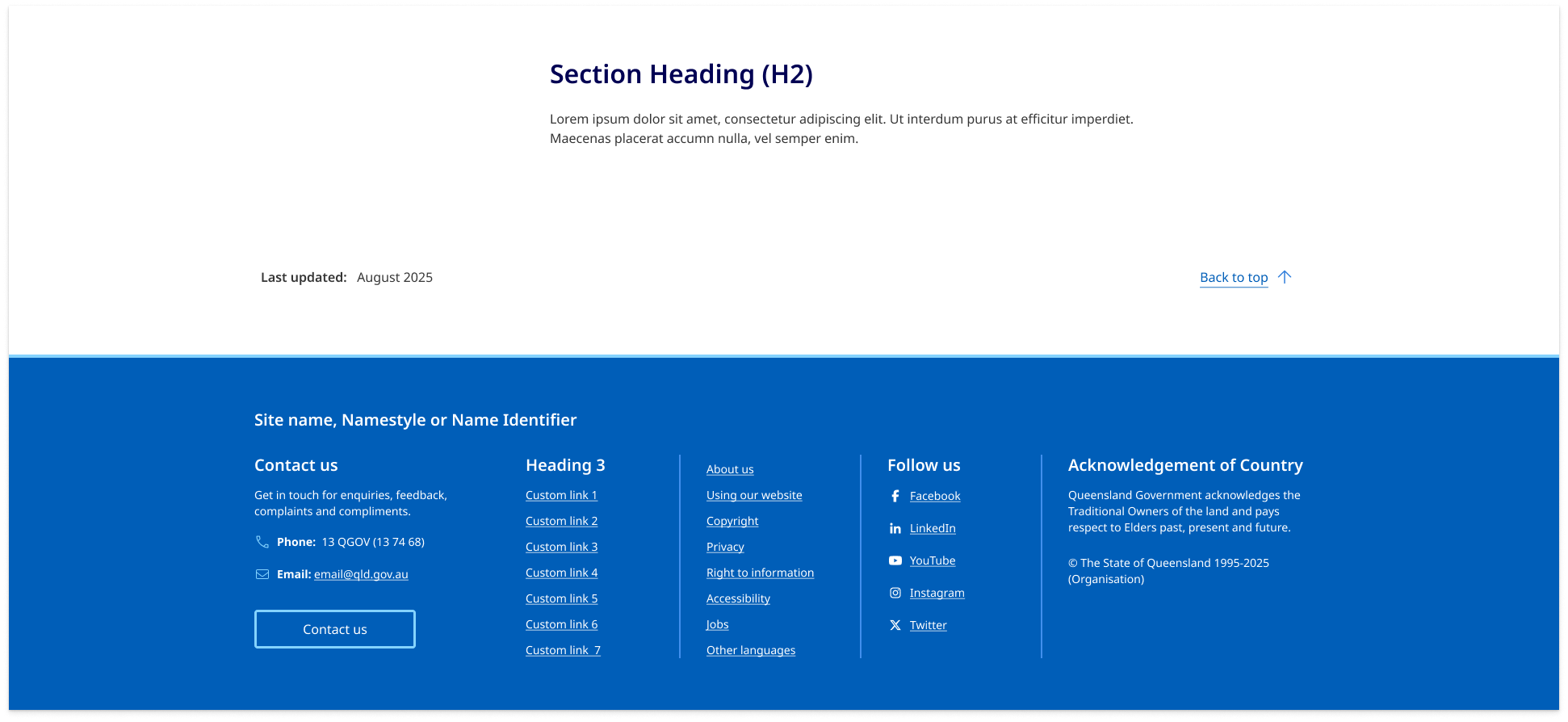
Place the 'Back to top' link above the footer, aligned to the bottom-right corner of the page within the layout grid - often on the same line as 'Last updated' information.
Responsive behaviour
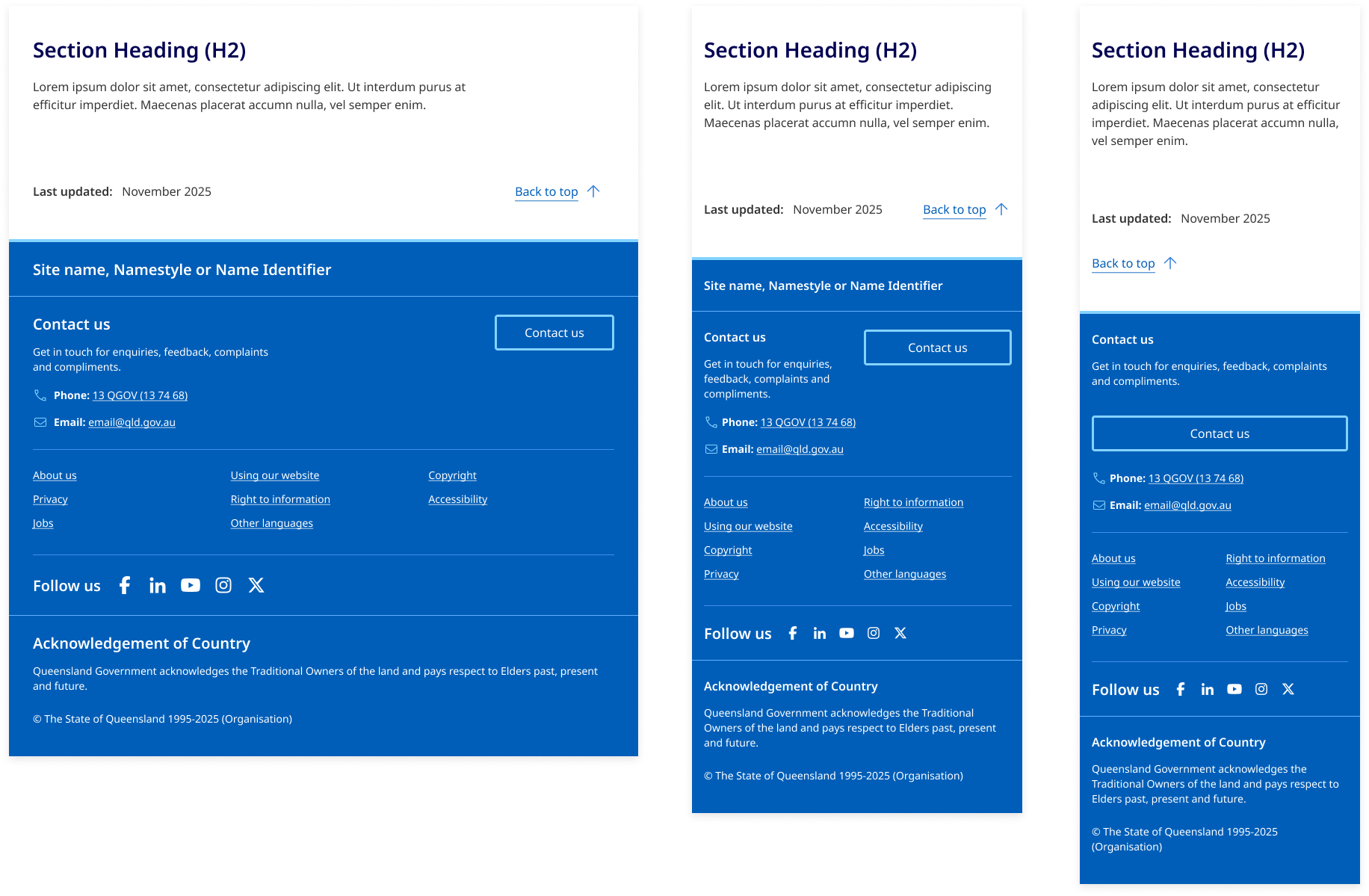
On extra small screens (under 400px wide), move it to it’s own line and align it to the left for better visual balance.
Usage guidelines
When to use
- on pages that are long, where scrolling back to the top would be cumbersome.
When not to use
- on short pages
- if there is already another way to return to the top of the page
- if it adds confusion or unnecessary clutter to the layout.
Research and rationale
That design of our 'back-to-top' pattern is based on recommendations from the Nielson and Norman group which state that it should be visible but unobtrusive, easy to spot and not distract from the main content of the page. It's best to keep it small, but with a high contrast colour or icon that stands out. (Loranger, H 2017).
Research also suggested that the meaning of the arrow icon alone is too obscure which is why we include the words "back to top" as well as an icon (Loranger, H 2017).
Placement is in the bottom right corner, this was the most consistent approach we found across websites that implement this pattern (Loranger, H 2017).
We originally used a fixed position for 'back to top' so it always appeared in the bottom-right corner of the screen. However, accessibility testing revealed that fixed-position elements can affect users who rely on browser zoom and make it difficult for sighted keyboard users to read or interact with content hidden behind these elements.
To improve accessibility, we repositioned the 'back to top' to appear visually where it naturally occurs in the focus order—at the end of the <main> element. The best placement was just above the footer, aligned to the bottom-right corner of the page within the layout grid.
Future update
In line with best practices for user experience, as outlined by the Nielsen Norman Group (NNG), we will be updating the current 'back to top' functionality on this site. Currently, it uses an anchor link ( <a href="#content"> ) to scroll users to the top of the page. However, based on NNG's guidelines, it is recommended that a 'back to top' link behave more like a command rather than a standard link.
As part of our upcoming updates, we plan to transition this functionality to a JavaScript-based solution. This will ensure that when users press the browser’s 'back' button, they are correctly navigated to the previous page in their browsing history, instead of being taken to the bottom of the current page (Schade A, 2017).
Classes
| Name | Description |
|---|---|
qld__widgets__back_to_top | Container for back to button used to alignment. |
qld__direction-link qld__direction-link--up | The back to top button uses the direction link component . |
Accessible back to top button requirements
Keep these considerations in mind if you're modifying the Design System or creating a custom component.
WCAG guidelines
1.1.1 Non-text Content
Provide a clear label for the button, such as "Back to top," along with a recognisable icon, if necessary (W3C, 2018).
1.4.10 Reflow
Ensure the 'Back to top' button remains fully visible and accessible when users zoom in up to 400% or use mobile and tablet screen sizes. Avoid fixed-positioning that can overlap or hide content, ensuring all page elements reflow naturally and maintain readability.
2.1.1 Keyboard
Ensure the 'Back to top' button is keyboard-accessible by making it focusable and providing a keyboard shortcut if necessary (W3C, 2018).
2.4.7 Focus Visible
Make sure the 'Back to top' button has a visible focus indicator when accessed using a keyboard (W3C, 2018).
3.2.4 Consistent Identification
Maintain a consistent design, appearance, and placement for the 'Back to top' button across all pages of the website.
References
Loranger H (2017) Back-to-Top Button Design Guidelines, Nielsen Norman Group, accessed 10 April 2023.
Schade A (2017) Anchors OK? Re-Assessing In-Page Links, Nielsen Norman Group, accessed 20 Jan 2025.
Material Design 3 (n.d.) Extended FAB Overview, Material Design, accessed 10 April 2023.
W3C (2018) Web Content Accessibility Guidelines (WCAG) 2.1, World Wide Web Consortium, accessed 10 April 2023.